Key Applications Included in the Zoho Finance Suite: A Complete Guide for Modern Businesses
Originally published: April 15, 2026 11:10:42 AM, updated: April 16, 2026 08:12:15 AM
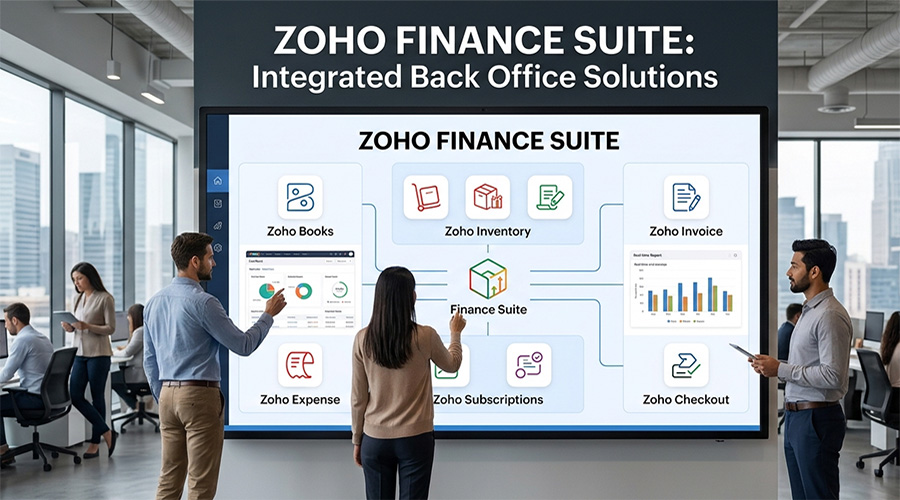
Managing finances is no longer just about bookkeeping—it’s about visibility, automation, compliance, and control.
For growing businesses, especially in competitive markets, financial operations can quickly become complex. Multiple tools, disconnected systems, and manual processes often create inefficiencies that limit growth.
This is where the Zoho Finance Suite stands out.
Instead of offering a single accounting tool, Zoho provides a fully integrated ecosystem of financial applications that work together seamlessly.
In this guide, we explore the key applications included in the Zoho Finance Suite, how they function, and why businesses are increasingly adopting this approach to financial management.
What Is the Zoho Finance Suite?
The Zoho Finance Suite is a collection of cloud-based applications developed by Zoho Corporation, designed to help businesses manage every aspect of their financial operations.
It includes tools for:
- Accounting
- Invoicing
- Expense management
- Inventory
- Subscriptions
- Billing
- Payment processing
Instead of using separate tools for each function, businesses can operate within a connected financial ecosystem.
Need Help Implementing Zoho for Your Business?
Choosing the right Zoho applications and configuring them correctly can make a huge difference. Our experts can help you implement Zoho solutions tailored to your business needs.
Get Expert ConsultationWhy Businesses Are Moving Toward Integrated Finance Systems
Traditional financial setups often involve:
- Spreadsheets
- Disconnected accounting tools
- Manual reconciliation
- Fragmented data
This leads to:
- Errors
- Delays
- Lack of visibility
The Zoho Finance Suite solves this by:
- Centralizing financial data
- Automating workflows
- Integrating processes
The result: better decisions, faster operations, and scalable growth.
Key Applications in the Zoho Finance Suite
Let’s break down the core applications that make up the Zoho Finance ecosystem.
Zoho Books: The Core Accounting Engine
At the center of the suite is Zoho Books.
This is the main accounting system used to manage:
- Invoices and billing
- Expenses
- Bank reconciliation
- Financial reports
- Tax compliance
Why It Matters
Zoho Books acts as the financial backbone of your business.
It provides real-time visibility into:
- Cash flow
- Profitability
- Financial performance
In simple terms: If you use only one app from the suite, this is where most businesses start.
Zoho Invoice: Streamlined Billing for Businesses
Zoho Invoice is designed specifically for creating and managing invoices.
It allows businesses to:
- Generate professional invoices
- Track payments
- Automate reminders
- Manage client billing
When to Use It
Ideal for:
- Freelancers
- Service-based businesses
- Small teams
It’s a lightweight alternative to full accounting systems, but can also work alongside Zoho Books.
Need Help Implementing Zoho for Your Business?
Choosing the right Zoho applications and configuring them correctly can make a huge difference. Our experts can help you implement Zoho solutions tailored to your business needs.
Get Expert ConsultationZoho Expense: Smart Expense Management
Tracking expenses manually is one of the biggest inefficiencies in finance operations.
Zoho Expense automates this process.
It enables businesses to:
- Capture receipts
- Track employee spending
- Automate approvals
- Generate expense reports
Key Advantage
Eliminates manual expense tracking and reduces errors.
Zoho Inventory: Managing Stock and Orders
For businesses dealing with products, inventory management is critical.
Zoho Inventory helps manage:
- Stock levels
- Purchase orders
- Sales orders
- Warehouse operations
Why It Matters
It connects directly with Zoho Books, ensuring:
- Accurate financial records
- Real-time inventory updates
This integration is essential for retail, e-commerce, and trading businesses.
Zoho Subscriptions: Recurring Revenue Management
Recurring billing is becoming increasingly common.
Zoho Subscriptions is designed for businesses that operate on subscription models.
It allows you to:
- Manage recurring billing cycles
- Automate invoices
- Track customer subscriptions
- Handle upgrades and downgrades
Ideal For
- SaaS companies
- Membership businesses
- Service providers with recurring billing
Zoho Billing: Advanced Billing Capabilities
Zoho Billing (evolved from Zoho Subscriptions) offers more advanced billing features.
It supports:
- Complex pricing models
- Usage-based billing
- Hybrid subscription models
This is particularly useful for scaling businesses with dynamic pricing structures.
Zoho Checkout: Online Payment Pages
Collecting payments efficiently is essential for cash flow.
Zoho Checkout allows businesses to:
- Create secure payment pages
- Accept online payments
- Customize checkout experiences
It simplifies payment collection without needing a full e-commerce setup.
Zoho Books + Finance Suite: The Power of Integration
What makes the Zoho Finance Suite truly powerful is not the individual applications—it’s how they work together.
For example:
- Invoices created in Zoho Books can sync with Zoho Inventory
- Expenses from Zoho Expense reflect in accounting reports
- Subscription data flows into financial statements
This creates a single source of truth for your financial data.
Benefits of Using the Zoho Finance Suite
Businesses adopting the suite often experience:
Centralized Financial Management
All financial data in one place.
Automation of Processes
Reduced manual work and errors.
Real-Time Insights
Better decision-making with live data.
Scalability
Start small and expand as your business grows.
Cost Efficiency
Lower cost compared to multiple disconnected tools.
Need Help Implementing Zoho for Your Business?
Choosing the right Zoho applications and configuring them correctly can make a huge difference. Our experts can help you implement Zoho solutions tailored to your business needs.
Get Expert ConsultationWho Should Use the Zoho Finance Suite?
The suite is ideal for:
- Small and medium-sized businesses
- Startups and scaling companies
- E-commerce businesses
- Service-based companies
- Subscription-based businesses
It is especially valuable for companies looking to standardize and automate financial operations.
Zoho Finance Suite as Part of a Bigger Ecosystem
The real advantage comes when the finance suite is connected with other business systems.
Within the broader Zoho ecosystem, businesses can integrate:
- CRM (sales)
- Marketing automation
- HR management
- Customer support
This transforms the finance suite into part of a larger operating system for business, where every department is connected.
Common Mistakes Businesses Make
When managing finances, many companies:
- Rely too much on spreadsheets
- Use disconnected tools
- Delay automation
- Lack real-time financial visibility
These issues often limit growth more than market conditions.
The Future of Financial Management
Finance is becoming:
- More automated
- More integrated
- More data-driven
Businesses that adopt modern financial systems early will gain:
- Better control
- Faster decision-making
- Competitive advantage
Final Thoughts
The Zoho Finance Suite is more than a collection of tools—it’s a complete financial management system designed for modern businesses.
By integrating accounting, billing, expenses, and inventory into one ecosystem, Zoho enables businesses to:
- Operate more efficiently
- Reduce complexity
- Scale with confidence
For companies looking to move beyond traditional accounting and build a smarter financial infrastructure, the Zoho Finance Suite offers a powerful and flexible solution.
Join over 145,000 SEO and Google Ads experts. We provide a community to help you engage and learn from industry experts and influencers. Join Now
World-class digital workplace software for a seamless employee experience, whether you have 10 or 10,000 employees.