Key Applications Included in Zoho Sales Suite: A Complete Guide for Modern Sales Teams
Originally published: April 16, 2026 09:43:07 AM, updated: April 16, 2026 09:45:07 AM
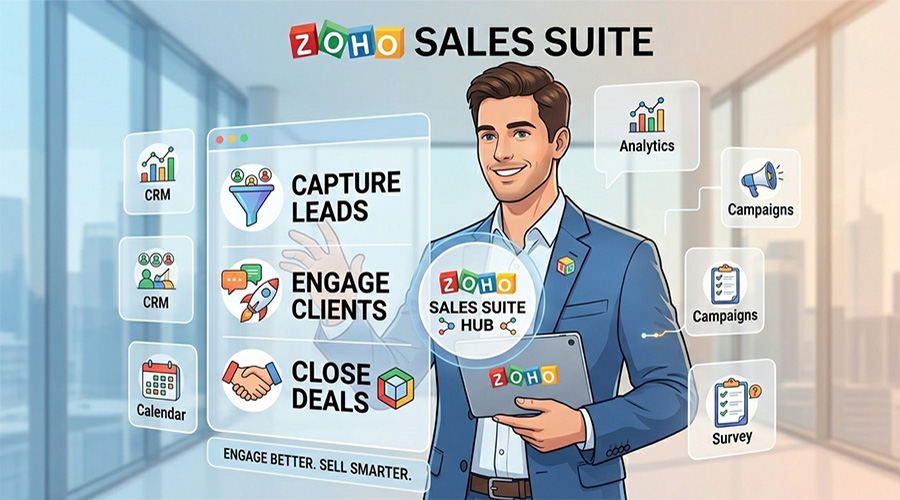
In today’s competitive landscape, sales success is no longer driven by effort alone—it’s driven by systems. Businesses that rely on disconnected tools often struggle with fragmented data, missed opportunities, and inefficient workflows. This is precisely why integrated sales ecosystems have become essential.
The Zoho Sales Suite applications offer a unified environment where sales, marketing, analytics, and customer engagement converge. Instead of juggling multiple platforms, teams operate within a connected framework that improves visibility, accelerates deal cycles, and enhances decision-making.
This article provides a comprehensive breakdown of the core applications within the Zoho Sales Suite, explaining what they do, how they work, and how businesses can leverage them effectively.
What Is Zoho Sales Suite?
The Zoho Sales Suite is a collection of tightly integrated applications developed by Zoho Corporation, designed to manage the entire sales lifecycle—from lead generation to deal closure and customer retention.
It is built for:
- Sales managers seeking pipeline visibility
- Business owners aiming to scale revenue operations
- B2B teams looking for automation and efficiency
- Organizations transitioning from manual or fragmented systems
Unlike standalone CRM tools, the Zoho Sales Suite functions as an ecosystem, where each application complements the others to create a seamless sales experience.
Need Help Implementing Zoho for Your Business?
Choosing the right Zoho applications and configuring them correctly can make a huge difference. Our experts can help you implement Zoho solutions tailored to your business needs.
Get Expert ConsultationCore Zoho Sales Suite Applications
1. Zoho CRM: The Foundation of Sales Operations
At the heart of the suite is Zoho CRM—the central system where all customer and deal data resides.
What It Does
Zoho CRM helps businesses manage leads, contacts, accounts, and deals within a structured pipeline. It acts as the single source of truth for sales activities.
Key Features
- Lead and contact management
- Customizable sales pipelines
- Workflow automation
- AI-powered insights via Zia
- Multichannel communication tracking
Practical Use Cases
A sales manager can track every interaction a prospect has had with the company—from website visits to email conversations—before assigning the lead to a sales rep. This eliminates guesswork and improves conversion rates.
Business Benefits
- Centralized data improves team alignment
- Automation reduces manual workload
- Real-time insights support faster decision-making
Zoho CRM is not just a database—it’s the operational engine of the entire sales suite.
2. Zoho SalesIQ: Real-Time Customer Engagement
Zoho SalesIQ focuses on engaging website visitors and converting them into qualified leads.
What It Does
SalesIQ enables businesses to track visitor behavior and initiate real-time conversations through live chat and chatbots.
Key Features
- Live chat and chatbot automation
- Visitor tracking and scoring
- Lead capture forms
- Integration with CRM for seamless follow-up
Practical Use Cases
A potential customer browsing your pricing page can trigger an automated chatbot that offers assistance. If the visitor engages, the system captures their information and sends it directly to the sales team.
Business Benefits
- Increased website conversion rates
- Faster response times
- Better understanding of customer intent
SalesIQ effectively bridges the gap between anonymous traffic and actionable leads.
3. Zoho Campaigns: Email Marketing for Lead Nurturing
Zoho Campaigns plays a crucial role in nurturing prospects throughout the sales funnel.
What It Does
It allows businesses to design, automate, and track email campaigns that guide leads toward conversion.
Key Features
- Email campaign creation and templates
- Marketing automation workflows
- Segmentation and personalization
- Performance analytics
Practical Use Cases
A company can create an automated email sequence that sends educational content to new leads over several weeks, gradually building trust before a sales call.
Business Benefits
- Improved lead nurturing
- Higher engagement rates
- Consistent communication with prospects
Zoho Campaigns ensures that no lead is left unattended during the decision-making process.
Need Help Implementing Zoho for Your Business?
Choosing the right Zoho applications and configuring them correctly can make a huge difference. Our experts can help you implement Zoho solutions tailored to your business needs.
Get Expert Consultation4. Zoho Analytics: Data-Driven Sales Intelligence
Zoho Analytics transforms raw sales data into actionable insights.
What It Does
It aggregates data from CRM, campaigns, and other sources to generate reports and dashboards.
Key Features
- Custom dashboards and reports
- Sales forecasting
- KPI tracking
- Data blending from multiple sources
Practical Use Cases
A sales director can analyze which channels generate the highest-quality leads and allocate budget accordingly.
Business Benefits
- Better strategic decision-making
- Clear visibility into performance
- Identification of bottlenecks in the pipeline
Without analytics, sales is guesswork. With Zoho Analytics, it becomes predictable.
5. Zoho Desk: Customer Support Integration
Zoho Desk ensures that post-sale customer interactions are aligned with sales operations.
What It Does
It manages customer support tickets and integrates them with CRM data for a complete customer view.
Key Features
- Ticket management system
- SLA tracking
- Omnichannel support
- Customer history integration
Practical Use Cases
If a customer raises a support issue, the sales team can see it instantly and proactively engage to maintain the relationship.
Business Benefits
- Improved customer retention
- Better collaboration between sales and support
- Enhanced customer experience
This integration is critical for businesses that prioritize long-term relationships over one-time transactions.
6. Zoho Meeting: Seamless Sales Communication
Zoho Meeting supports remote sales interactions.
What It Does
It enables teams to conduct virtual meetings, product demos, and webinars.
Key Features
- Online meetings and screen sharing
- Webinar hosting
- Recording and playback
- Integration with CRM
Practical Use Cases
A sales representative can schedule a demo directly from the CRM and conduct it via Zoho Meeting, with all activity logged automatically.
Business Benefits
- Streamlined communication
- Reduced reliance on third-party tools
- Improved sales presentation capabilities
7. Zoho Sign: Digital Contract Management
Zoho Sign accelerates the deal closure process.
What It Does
It allows businesses to send, sign, and manage documents electronically.
Key Features
- Legally compliant e-signatures
- Document workflows
- Integration with CRM
- Audit trails
Practical Use Cases
Once a deal reaches the final stage, contracts can be sent for signature instantly, eliminating delays caused by manual processes.
Business Benefits
- Faster deal closures
- Reduced paperwork
- Improved compliance and tracking
Need Help Implementing Zoho for Your Business?
Choosing the right Zoho applications and configuring them correctly can make a huge difference. Our experts can help you implement Zoho solutions tailored to your business needs.
Get Expert ConsultationHow Zoho Sales Suite Applications Work Together
Individually, each application is powerful. Collectively, they form a unified sales ecosystem.
Here’s how the workflow typically unfolds:
- A visitor engages via SalesIQ
- Lead data flows into Zoho CRM
- Campaigns nurture the lead automatically
- Sales teams track and manage deals in CRM
- Meetings are conducted via Zoho Meeting
- Contracts are signed through Zoho Sign
- Performance is analyzed using Zoho Analytics
- Customer support is handled in Zoho Desk
This level of integration eliminates silos, ensuring that every department operates with the same data and context.
Why This Integration Matters
Disconnected tools create friction. Integrated systems create momentum.
With the Zoho Sales Suite applications, businesses benefit from:
- End-to-end visibility across the sales lifecycle
- Reduced operational complexity
- Higher productivity and efficiency
- Better customer experiences
This is where Zoho distinguishes itself—not by offering tools, but by delivering a cohesive system.
Why Businesses Choose Zoho Sales Suite
From a strategic perspective, Zoho Sales Suite appeals to organizations that want scalability without complexity.
It offers:
- Flexibility for customization
- Cost efficiency compared to fragmented tools
- Strong automation capabilities
- Seamless integration across applications
More importantly, it aligns with how modern sales teams operate—data-driven, customer-centric, and highly automated.
Final Thoughts: Is Zoho Sales Suite the Right Choice?
If your sales process involves multiple tools, manual data entry, or inconsistent reporting, then adopting an integrated system is no longer optional—it’s necessary.
The Zoho Sales Suite applications provide a comprehensive solution that covers every stage of the sales journey. From capturing leads to closing deals and maintaining customer relationships, it delivers both operational efficiency and strategic insight.
A Practical Perspective
The real value of Zoho Sales Suite is not in its individual features, but in how those features work together. Businesses that fully adopt the ecosystem often experience:
- Shorter sales cycles
- Higher conversion rates
- Improved team collaboration
Join over 145,000 SEO and Google Ads experts. We provide a community to help you engage and learn from industry experts and influencers. Join Now
World-class digital workplace software for a seamless employee experience, whether you have 10 or 10,000 employees.