E-Invoicing in Jordan: What Businesses Need to Know
Originally published: September 20, 2026 08:14:16 AM, updated: September 20, 2026 08:16:13 AM
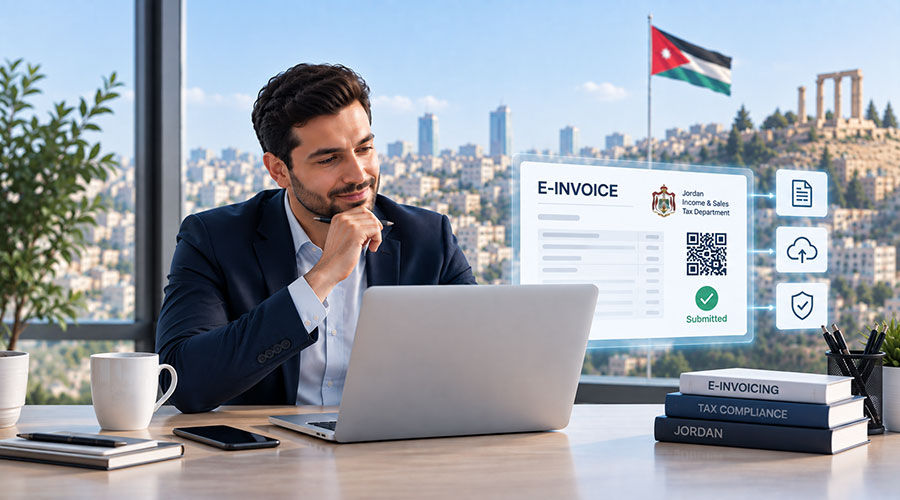
Electronic invoicing is becoming an important part of doing business in Jordan. As the government continues to modernize tax procedures, businesses are expected to pay closer attention to how they issue, store, and report invoices.
For many companies, this raises several practical questions:
What is electronic invoicing in Jordan? Who needs to use it? How does the JoFotara system work? Can businesses continue using their existing accounting software? And what happens if a company is using a platform such as Zoho Books?
These questions matter because e-invoicing is not simply about replacing paper invoices with digital documents. It also affects accounting processes, tax reporting, financial controls, and the way businesses manage their daily transactions.
This guide explains what businesses in Jordan should know about electronic invoicing, the national JoFotara system, and the steps required to prepare for compliance.
What Is E-Invoicing in Jordan?
E-invoicing is the process of creating, managing, and reporting invoices electronically through an approved digital system.
Instead of relying entirely on printed invoices or manually prepared documents, businesses use an electronic system to issue invoices and maintain transaction records.
In Jordan, electronic invoicing is connected to the National E-Invoicing System, commonly known as JoFotara, which is operated by the Income and Sales Tax Department.
The system is intended to standardize invoicing procedures, improve the accuracy of financial records, reduce the risks associated with lost or damaged paper invoices, and make tax administration more efficient.
For businesses, this means that invoicing should be treated as part of the company’s wider accounting and compliance process rather than as an isolated administrative task.
What Is JoFotara?
JoFotara is Jordan’s national electronic invoicing platform. It enables eligible businesses and professionals to issue and manage electronic invoices in accordance with the applicable invoicing requirements in Jordan.
Businesses can generally interact with the system in two main ways:
- By issuing invoices directly through the electronic invoicing platform.
- By connecting an existing computerized accounting or invoicing system to JoFotara.
The second option is particularly relevant to companies that already use accounting software to manage sales, purchases, expenses, inventory, and customer records.
Rather than entering every invoice manually into two separate systems, businesses may be able to connect their accounting platform to JoFotara through an approved integration, third-party connector, or custom API-based solution.
However, the exact integration process depends on the software being used and the technical requirements of the connection.
Is E-Invoicing Mandatory for Businesses in Jordan?
Electronic invoicing requirements depend on the type of taxpayer, business activity, applicable regulations, and any relevant exemptions.
The Income and Sales Tax Department has instructed taxpayers covered by the national electronic invoicing requirements to issue invoices electronically through the national system.
Businesses that already use computerized invoicing systems may need to connect those systems to JoFotara. Businesses without computerized systems may be able to issue invoices through the electronic invoicing platform provided by the tax authority.
There have also been exemptions for certain smaller businesses and specific activities, subject to annual sales or revenue thresholds and the conditions established by the applicable regulations.
For example, previous official guidance referred to exemptions for certain licensed businesses with annual sales below specific thresholds. These thresholds and conditions should not be treated as universal or permanent rules.
Businesses should confirm their current obligations directly with the Income and Sales Tax Department or a qualified Jordanian tax professional before deciding whether they are exempt.
The safest approach is not to assume that a business is excluded simply because it is small or operates in a particular sector.
Need Help Implementing Zoho for Your Business?
Choosing the right Zoho applications and configuring them correctly can make a huge difference. Our experts can help you implement Zoho solutions tailored to your business needs.
Get Expert ConsultationWhy Is Jordan Moving Toward Electronic Invoicing?
The shift toward electronic invoicing is part of a wider effort to improve the administration of tax and financial processes.
From a government perspective, electronic invoicing can help create more consistent transaction records, reduce manual intervention, and make the review of financial information more efficient.
From a business perspective, the benefits can include better invoice organization, easier access to transaction records, and less dependence on physical documents.
However, businesses should not view e-invoicing only as a government requirement. A properly designed electronic invoicing process can also improve internal financial controls.
For example, it can help a company:
- Maintain more consistent invoice records
- Reduce duplicate data entry
- Improve invoice tracking
- Reduce the risk of lost documents
- Connect sales with accounting
- Improve visibility into outstanding payments
- Simplify document retrieval
- Reduce reliance on manual paperwork
These benefits depend heavily on how the system is configured and used. Simply registering on JoFotara will not automatically solve broader accounting or operational problems.
What Information Should an Electronic Invoice Include?
The exact information required on an invoice depends on the applicable Jordanian rules and the nature of the transaction.
In general, businesses should expect electronic invoices to contain important information about the seller, buyer, transaction, products or services, and applicable taxes.
Depending on the transaction, the invoice may include details such as:
- Seller information
- Tax or registration details
- Buyer information
- Invoice number
- Invoice date
- Description of products or services
- Quantities and prices
- Tax information
- Total invoice value
- Relevant references or identifiers
- Electronic invoicing information returned by the system
Businesses should avoid relying on old invoice templates without reviewing them against the current requirements.
An invoice that looks acceptable from a commercial perspective may still require changes to meet electronic invoicing or tax-related requirements.
Before implementation, the finance team should review the invoice fields with both the software implementation team and the company’s accountant.
How Does the JoFotara Process Work?
The practical process can vary depending on whether a business issues invoices directly through JoFotara or uses integrated accounting software.
A typical integrated process may involve the following steps.
1. Registering With the National System
The business first needs to complete the relevant registration or setup procedures required by the Income and Sales Tax Department.
The company should ensure that its taxpayer information is accurate and that the appropriate users have access to the system.
2. Preparing the Accounting System
If the business uses accounting software, the system should be configured with the correct company information, customer details, products or services, tax settings, and invoice numbering procedures.
This is also the stage where the business should review its chart of accounts and invoicing workflows.
3. Connecting the Software to JoFotara
The accounting or invoicing platform can then be connected to JoFotara using the available integration method.
Depending on the platform, this may involve a third-party extension, an integration partner, or a custom API connection.
4. Creating the Invoice
The invoice is created in the company’s accounting or invoicing system, using the required customer, product, service, and tax information.
5. Sending the Invoice Information
The invoice information is submitted to JoFotara through the selected integration or directly through the national platform.
6. Receiving the Relevant Response
The business should retain the relevant electronic response, reference, identifier, or other information returned by the system, according to the applicable procedures.
7. Delivering and Storing the Invoice
The invoice is provided to the customer and stored in a way that allows the business to retrieve it when needed.
The process should also account for rejected invoices, technical errors, duplicate submissions, cancelled transactions, and credit notes.
A business should never assume that a successful invoice creation inside its accounting software automatically means that the invoice has been successfully reported to JoFotara.
Can Businesses Continue Using Their Existing Accounting Software?
In many cases, businesses may be able to continue using their existing accounting or invoicing software, provided that it can be connected to JoFotara through a suitable integration.
This is important because replacing an entire accounting system can be expensive, time-consuming, and disruptive.
Before changing software, businesses should investigate whether their current platform supports:
- API-based integration
- Third-party connectors
- Electronic invoice data export
- Custom invoice fields
- Tax configuration
- Invoice status tracking
- Error handling
- Credit notes and returns
- Audit trails
- Data retention
If the existing software cannot support the required process, the business may need to consider an alternative platform or introduce an additional invoicing solution.
The decision should be based on the complete workflow, not just on whether the software can generate a PDF invoice.
Can Zoho Books Be Connected to JoFotara?
Zoho Books is one of the accounting platforms that can be connected with JoFotara.
However, businesses should understand an important distinction: the connection may require a third-party extension or a custom integration rather than a built-in, native Jordanian localization within Zoho Books.
There are third-party solutions available through the Zoho Marketplace that are designed to connect Zoho Books with Jordan’s electronic invoicing system.
These solutions may help businesses submit invoices, validate invoice information, and manage the electronic invoicing process from within or alongside Zoho Books. The exact capabilities depend on the provider, version, subscription, and implementation method.
Before choosing an integration, a business should confirm:
- Whether the solution connects directly to JoFotara
- Which Zoho Books editions are supported
- Whether sales invoices and credit notes are supported
- How tax information is transferred
- How customer and company details are mapped
- How rejected invoices are handled
- Whether invoice statuses are synchronized
- Whether the solution is actively maintained
- What technical support is included
- Whether additional subscription fees apply
A connector can make the process easier, but it does not remove the need for proper accounting and tax validation.
The business should test the integration using realistic scenarios before using it for daily invoicing.
Need Help Implementing Zoho for Your Business?
Choosing the right Zoho applications and configuring them correctly can make a huge difference. Our experts can help you implement Zoho solutions tailored to your business needs.
Get Expert ConsultationWhat Should Businesses Check Before Connecting Zoho Books to JoFotara?
Businesses using Zoho Books should assess the integration from both a technical and accounting perspective.
The first step is to review the company’s invoicing process. This includes identifying how invoices are created, which employees can issue them, how taxes are calculated, and how credit notes or corrections are handled.
The second step is to review the data structure inside Zoho Books.
Customer names, tax numbers, company information, product descriptions, invoice numbering, and tax settings should be accurate and consistent. Poor-quality data can cause errors during submission or create discrepancies between the accounting system and JoFotara.
The third step is to test the complete process.
For example, the implementation team should test:
- A standard sales invoice
- A tax-related invoice
- A credit note
- An invoice with multiple products or services
- An invoice with customer tax information
- A cancelled or rejected invoice
- A corrected invoice
- A transaction with a discount
- An invoice containing Arabic information
The goal is to confirm that the data sent from Zoho Books is accurate and that the response from JoFotara is recorded properly.
Common Challenges Businesses May Face With E-Invoicing
Although electronic invoicing can improve financial processes, implementation may create challenges for businesses that are not properly prepared.
Incomplete or Incorrect Customer Data
Incorrect customer names, tax numbers, addresses, or other details can lead to invoice errors.
Businesses should clean and verify their customer database before connecting their accounting system to JoFotara.
Incorrect Tax Configuration
Tax settings must reflect the company’s actual activities and obligations.
If tax rates, exemptions, or tax treatments are configured incorrectly, the resulting invoices may also be incorrect.
Manual Data Entry
Some businesses may continue creating invoices in one system and entering them manually into another.
This approach increases the risk of duplicate records, inconsistent information, and human error.
Where possible, businesses should investigate integration options that reduce unnecessary duplication.
Poor Invoice Numbering
Invoice numbering should be consistent and properly controlled.
Businesses should define who can issue invoices, how numbering is managed, and what happens when an invoice is cancelled or rejected.
Lack of Error Handling
Technical problems are possible in any integration.
A business should know how to identify failed submissions, correct the underlying problem, and resubmit the invoice without creating duplicate records.
Insufficient Staff Training
Employees who issue invoices need to understand the new process.
Training should cover invoice creation, corrections, credit notes, customer information, error messages, and escalation procedures.
Assuming Registration Equals Compliance
Registering on JoFotara is only one part of the process.
The business must also ensure that its daily invoicing practices, accounting records, and software configuration meet the applicable requirements.
How Can Businesses Prepare for E-Invoicing in Jordan?
Preparation is easier when businesses approach e-invoicing as a structured implementation project.
The following steps can help reduce disruption.
Review Your Current Invoicing Process
Document how invoices are currently created, approved, delivered, corrected, and stored.
Identify any manual steps, duplicated data entry, or gaps in accountability.
Confirm Your Legal Obligations
Determine whether the business is required to use the national electronic invoicing system and whether any exemptions apply.
This should be confirmed with the relevant authorities or a qualified tax advisor.
Clean Your Accounting Data
Review customer records, supplier information, tax numbers, product descriptions, invoice sequences, and company details.
Data quality is essential for successful integration.
Select the Right Integration Method
If the business already uses accounting software, investigate whether it supports a direct connection, third-party extension, or custom integration.
Compare the technical capabilities, cost, support, and maintenance arrangements before selecting a solution.
Review Tax and Invoice Settings
Work with the company’s accountant to verify tax treatments, invoice fields, credit note procedures, and reporting requirements.
Test Before Going Live
Do not wait until the first real invoice is issued to discover that the integration is not working properly.
Test different transaction types and document scenarios before introducing the system into daily operations.
Train Employees
Make sure the employees responsible for sales, finance, invoicing, and customer service understand the new process.
Establish an Ongoing Support Process
Assign responsibility for handling technical errors, rejected invoices, software updates, and changes to government requirements.
E-invoicing is not a one-time setup. It requires ongoing attention.
Does E-Invoicing Mean Businesses Can Stop Keeping Paper Invoices?
Businesses should review the applicable retention rules and the specific requirements that apply to their invoicing arrangements.
Official guidance has stated that taxpayers using the national electronic invoicing system are not required to retain paper copies of invoices covered by the relevant provisions.
However, businesses should still maintain reliable electronic records and ensure that invoices can be retrieved when needed.
Electronic storage should include appropriate access controls, backups, security measures, and procedures for protecting financial information.
It is also important to retain supporting documents, contracts, purchase records, delivery notes, payment evidence, and other documentation that may be required for accounting or audit purposes.
Moving away from paper does not mean that recordkeeping is no longer important. It means that recordkeeping must be managed digitally and consistently.
Need Help Implementing Zoho for Your Business?
Choosing the right Zoho applications and configuring them correctly can make a huge difference. Our experts can help you implement Zoho solutions tailored to your business needs.
Get Expert ConsultationHow Much Does E-Invoicing Implementation Cost?
The cost of implementing electronic invoicing in Jordan depends on the business’s current systems and the complexity of its requirements.
A company that issues a small number of invoices and uses the national platform directly may have different costs from a business that needs to connect an ERP or accounting system to JoFotara.
Potential costs may include:
- Accounting software subscriptions
- Third-party integration fees
- Custom API development
- Data cleanup
- System configuration
- Tax and accounting consultation
- Employee training
- Testing
- Ongoing technical support
For businesses using Zoho Books, the cost may include the Zoho Books subscription as well as the cost of a JoFotara connector or custom integration.
The cheapest option is not always the most practical. A low-cost solution that requires constant manual intervention may create more work and more risk over time.
Businesses should evaluate the total cost of implementation, maintenance, support, and daily operation.
Is E-Invoicing Only Relevant to Large Companies?
No. Electronic invoicing can affect businesses of different sizes, depending on their legal status, activity, revenue, and the applicable requirements.
Small businesses should not assume that e-invoicing is relevant only to large corporations.
At the same time, not every small business will necessarily have the same obligations. Certain exemptions may apply to specific businesses or activities, subject to the conditions established by the relevant regulations.
The best approach is to confirm the company’s position instead of relying on general assumptions.
Even businesses that are not currently required to use an integrated system may benefit from improving their invoicing and recordkeeping processes.
Final Thoughts: Treat E-Invoicing as a Business Process, Not Just a Tax Requirement
E-invoicing in Jordan is becoming an important consideration for businesses that issue invoices and maintain financial records.
JoFotara is central to this process, but compliance involves more than simply registering on the platform. Businesses must review their legal obligations, invoice data, tax configuration, software capabilities, integration options, and internal procedures.
Companies using accounting platforms such as Zoho Books may be able to connect their systems to JoFotara through third-party extensions or custom integrations. However, the selected solution should be tested carefully and reviewed by both technical and accounting professionals.
The most practical approach is to start with an assessment of the current invoicing process, confirm the applicable requirements, clean the business data, choose the right integration method, and test the complete workflow before going live.
The goal is not merely to issue electronic invoices. The goal is to create an accurate, reliable, and manageable invoicing process that supports the business and meets Jordan’s applicable requirements.
Join over 145,000 SEO and Google Ads experts. We provide a community to help you engage and learn from industry experts and influencers. Join Now
World-class digital workplace software for a seamless employee experience, whether you have 10 or 10,000 employees.