Zoho Books & NETUM POS Integration
Originally published: January 13, 2026 09:37:16 AM, updated: May 05, 2026 09:17:57 AM
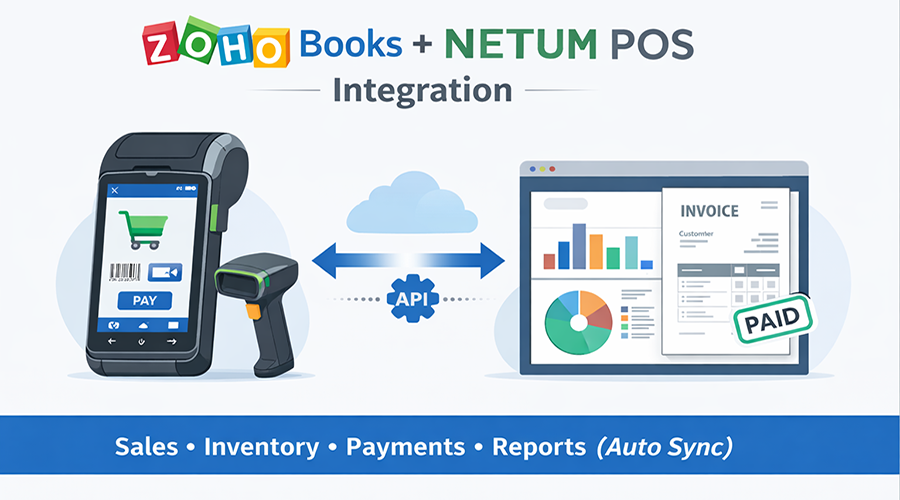
NETUM is more commonly known as a hardware brand (barcode scanners and Android handheld/terminal devices) than as a one-size-fits-all POS software platform. In practice, “NETUM POS integration” often means integrating a POS application (running on NETUM devices or using NETUM scanners) with Zoho Books.
This guide covers the most reliable integration patterns, recommended accounting objects within Zoho Books, mapping blueprint, reference architecture, implementation workflow, reconciliation controls and a scope checklist for a production-ready deployment.
1. What “NETUM POS” Typically Means
Before designing the integration, confirm whether the client is referring to:
- NETUM hardware used as the POS terminal (Android handheld/terminal) and/or barcode scanner.
- A specific POS application installed on the NETUM device (Android app) or a PC/web POS using NETUM scanners.
- A local POS vendor that bundles NETUM devices and labels the solution as “NETUM POS”.
Integration success depends primarily on the POS software layer and the data it can export (API/webhook/database/CSV), not the scanner hardware itself.
2. Integration Paths (Recommended Options)
There are three viable approaches. Select based on the client’s flexibility to change POS software, required control, and operational complexity.
Option A — Native Zoho POS-to-Books Sync + NETUM Hardware
- Best for: Standard retail workflows, minimal customization, faster deployment
- How it works: Zoho POS handles transactions and syncs to Zoho Books; NETUM acts as scanner/terminal device
- Advantages: Lowest risk, fewer moving parts, supported sync behavior
- Limitations: Less flexibility for custom POS workflows
Option B — POS App on NETUM → Middleware → Zoho Books API
- Best for: Existing POS systems, custom tax/branch logic, offline-first environments
- How it works: POS sends transactions to an integration service which writes into Zoho Books via APIs
- Advantages: Full control over mapping, retries, and business rules
- Limitations: Requires development + monitoring + ongoing maintenance
Option C — Low-Code Hub (Zoho Flow/Creator) → Zoho Books
- Best for: Lightweight integrations where POS supports webhooks/CSV/API exports
- How it works: Low-code layer transforms data and pushes into Zoho Books
- Advantages: Faster build, lower development cost
- Limitations: Complex scenarios (returns, split payments) may be harder to scale
Need Help Implementing Zoho for Your Business?
Choosing the right Zoho applications and configuring them correctly can make a huge difference. Our experts can help you implement Zoho CRM, Zoho Books, and other Zoho solutions tailored to your business needs.
Get Expert Consultation3. Target Accounting Model in Zoho Books
Decide upfront how POS transactions will be represented in Zoho Books. Two common patterns are:
3.1 Sales Receipts vs Invoices
For retail “pay-now” transactions (cash/card at checkout), a Sales Receipt is often the cleanest representation because it avoids large volumes of open receivables. For credit sales or pay-later customers, an Invoice model is more appropriate due to lifecycle tracking and receivables control.
Recommended decision rule:
- If most transactions are pay-now: default to Sales Receipts.
- If a material share of transactions are pay-later: use Invoices for credit customers, and Sales Receipts for walk-in pay-now.
4. Data Mapping Blueprint (POS → Zoho Books)
A stable mapping layer prevents duplicates, reporting drift, and inventory mismatches. Implement mapping as persistent lookup tables (POS IDs to Zoho IDs) and apply them consistently.
4.1 Master Data (Pre-Go-Live)
Master Data (Before Go-Live)
- Items/SKUs: POS SKU ↔ Zoho Books Item ID
- Barcodes: Managed in POS (Books focuses on item identity)
- Taxes: POS tax codes ↔ Zoho tax IDs / tax groups
- Customers: Walk-in customer strategy (single ‘Cash Customer’ vs per-sale customer)
- Payment Methods: Cash/Card/Wallet/Bank Transfer mapping
Transaction Sync (Runtime)
- Header: branch/store, cashier, datetime, currency
- Lines: item ID, qty, unit price, discount, tax
- Payments: type(s), amounts, reference numbers
- Returns/Refunds: link to original sale where possible
Inventory (Source of Truth Decision)
- Choose ONE system to own inventory: POS or Zoho Books
- Avoid double-decrement stock behavior
- Define reconciliation reports and exception handling
4.2 Transaction Sync (Runtime)
Each transaction should include:
- Header: branch/store, cashier, datetime, currency, transaction reference number.
- Lines: item, quantity, unit price, discounts, taxes, line totals.
- Payments: one or multiple payment lines with references (e.g., card authorization).
- Returns: link refunds/returns to the original sale when possible.
4.3 Inventory Source of Truth
Choose a single inventory source of truth. Dual-writing inventory (decrementing in both POS and Zoho independently) commonly produces mismatches. If POS is the stock system, sync stock movements into Books carefully. If Zoho is the stock system, the POS must reserve/decrement through a controlled workflow.
Book a Free Integration Consultation — Let our team connect your NETUM POS with Zoho Books and automate sales, inventory, and payments with zero manual work.
5. Reference Architecture (Production-Ready)
Recommended pattern for resilience and auditability:
POS application on NETUM device (or POS using NETUM scanners) → Integration Middleware → Zoho Books APIs
Key components to include:
- Event store or queue: every sale becomes an immutable event.
- Idempotency keys: prevent duplicates on retries (e.g., branch_id + pos_sale_id).
- Retry policy: backoff and dead-letter handling for persistent failures.
- Audit trail: store Zoho Books record IDs back into your POS/integration database.
- Observability: logs, dashboards, and alerting for failed sync and reconciliation drift.
6. Implementation Workflow
Step 1: Confirm the POS software layer
Identify the POS application name/version and the available export mechanism (API/webhook/database/CSV).
Step 2: Select the accounting object strategy
Decide Sales Receipt vs Invoice usage and document the rule set.
Step 3: Build mapping tables
SKU-to-Item, tax mapping, customer strategy, payment method mapping.
Step 4: Implement the “golden path”
Start with one branch, one tax profile, and simple pay-now sales; then expand.
Step 5: Add operational edge cases
Returns/refunds, split payments, offline store-and-forward, rounding rules, multi-currency.
Step 6: Reconcile daily
Match POS Z-reports to Zoho Books totals; investigate exceptions using an error report.
7. Scope Checklist for a Proper SOW
A production-grade scope should explicitly include:
- Objects: items, taxes, customers (if needed), sales receipts/invoices, payments, refunds/returns.
- Frequency: real-time vs batch; offline mode expectations.
- Error handling: retries, manual reprocessing queue, escalation/alerts.
- Reconciliation: daily financial totals, tax totals, void/refund totals, exception reporting.
- Security: OAuth token handling, least-privilege access, audit logs.
- Acceptance criteria: test cases and sign-off process for go-live.
8. Recommendation
If the client can adopt a Zoho-native POS synchronization model, it is typically the lowest-risk option. If the POS software is fixed, implement middleware using Zoho Books APIs with strict idempotency, logging, and daily reconciliation from day one. Default to Sales Receipts for pay-now retail and use Invoices only for credit customers.
References
- Zoho Books API Documentation (Invoices, core resources): https://www.zoho.com/books/api/v3/
- Zoho Books API - Sales Receipts resource (Retail pay-now model): https://www.zoho.com/books/api/v3/sales-receipts/
- NETUM official site (hardware overview and device/scanner product lines): https://www.netum.net/
- NETUM developer/support resources (SDKs and device documentation - as applicable): https://www.netum.net/support/
Join over 145,000 SEO and Google Ads experts. We provide a community to help you engage and learn from industry experts and influencers. Join Now
World-class digital workplace software for a seamless employee experience, whether you have 10 or 10,000 employees.